
Configure and enable premium features for Monetize.
This is the screen that lets you activate and define specific settings in Monetize. Not every setting is visible by default in every account, and some of these settings connect to premium features. If they’re not visible on your account, contact support@soundstack.com to learn more.
Once you have made a change to any of the settings on this page, click Save at the bottom of the screen to save changes.
Ad Control
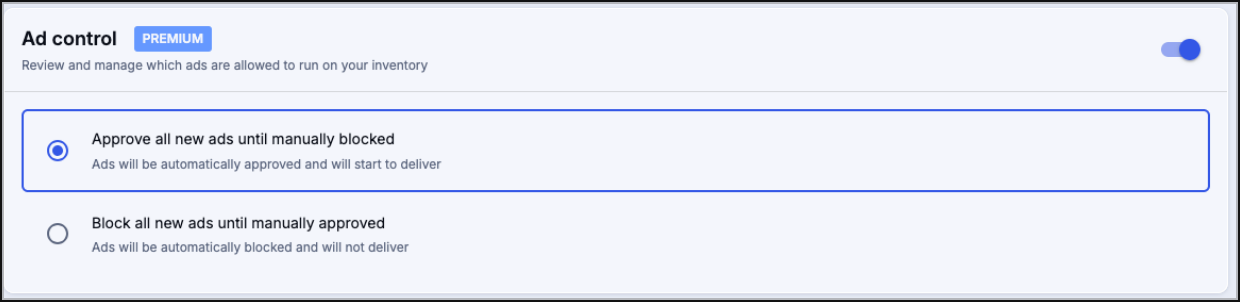
Ad control uses SoundStack AI to analyze, transcribe, and categorize programmatic ads, granting you greater visibility on incoming ads and allowing you to block unwanted ads.
Ad Control has two approval settings:
- Approve all new ads until manually blocked
- Monetize will automatically insert ads. Ads can be blocked as needed from the Ad Control dashboard.
- This setting can be used when you generally expect to approve substantially more ads than you intend to block.
- Block all new ads until manually approved
- This is the default setting
- Monetize will not automatically insert ads. Ads will enter the Ad Control dashboard in a pending state.
- This setting can be used to ensure that no ad goes live until it is reviewed, but you will want to review the ads often so that new ads can play on your inventory zones.
No Compete

If you need to ensure that ads in the same IAB category do not play too close to each other, you can set a No compete time buffer. This setting will only impact direct ads and will not change how programmatic advertising behaves in your inventory zones.
The buffer can be set in one-minute increments. The higher the buffer, the fewer opportunities ads of the same category have to play during your ad breaks. If you set the buffer too high and have too many direct ads that share a category, your listeners may only hear one ad per day!
Save

Changes made to Settings on this page will not take effect unless you click the Save button at the bottom of the screen. If you navigate away from this page without clicking Save your changes will be reverted.
If you have any further questions or concerns, please do not hesitate to contact our Support Team through the ticket submission form or by emailing us at support@soundstack.com.